Concept artists
A sketch, moodboard image, or found reference needs to become a rough object for visual development.
Generate a tangible starting shape, then iterate on proportions and silhouette before final modeling.
Browser 3D workflow
image to 3d model free online gives you a simple starting point for turning visual references into editable 3D concepts. Upload an image, describe what matters, and review the generated result before refining it for your project.
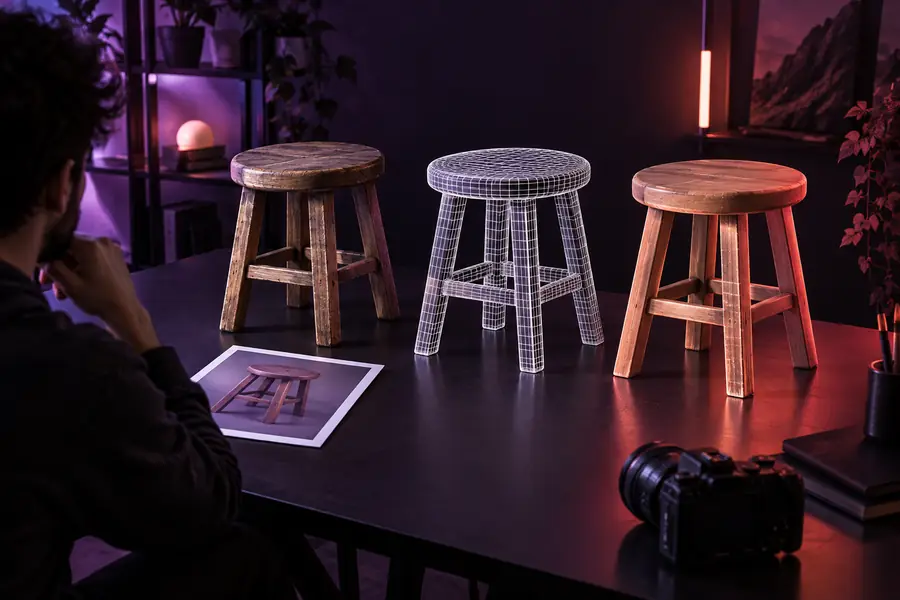
Know the edges
A free online image-to-3D workflow is useful for exploration, but it is not a replacement for careful modeling, retopology, or production review.
One image shows only part of an object, so the back, underside, and concealed geometry may be inferred incorrectly.
What to do instead
Use a clear angle with visible depth, or provide additional views when the object has important hidden features.
The result can capture overall form without matching exact dimensions, tolerances, or manufacturing specifications.
What to do instead
Treat the output as a concept and verify scale in your 3D or CAD software before fabrication.
Glass, chrome, transparent plastics, thin wires, and layered textures can be interpreted as simplified surfaces.
What to do instead
Use a well-lit reference and plan to rebuild materials or delicate parts after generation.
Unexpected joins, uneven topology, floating details, or rough edges can appear in an automatically generated model.
What to do instead
Inspect the mesh, remove unwanted parts, and make targeted edits before animation, export, or printing.
Three clear moves
The browser process is straightforward: start with a useful reference, describe the desired result, then inspect and refine the output.
Upload an image with a distinct subject, readable silhouette, and enough contrast to separate the object from its background.
Describe the object, style, proportions, and important details you want preserved so the model has a focused direction.
Check the shape from more than one angle, identify missing or distorted parts, and continue with edits or downstream tools.
Continue exploring
Choose the route that best matches your input, access preference, or intended result.
Set expectations
The online route is strongest for fast visual exploration; manual tools remain important when precision, topology, or production control matters.
| Free online image workflow | Manual 3D modeling workflow | |
|---|---|---|
| Starting input | A reference image and a focused description | Primitive shapes, curves, scans, drawings, or measurements |
| Time to first concept | Short setup with rapid visual feedback | Usually longer because the form is built step by step |
| Control over hidden geometry | Limited by what the reference reveals | Direct control over every visible and concealed surface |
| Dimensional accuracy | Useful for approximation, not a guaranteed measurement | Can be built to explicit dimensions and tolerances |
| Best use | Concepts, variations, references, and early exploration | Production assets, engineered parts, and final topology |
| Cleanup responsibility | Inspect and correct the generated mesh | Create and validate the geometry directly |
Practical starting points
Different users can begin with the same browser workflow while applying the output to very different projects.
A sketch, moodboard image, or found reference needs to become a rough object for visual development.
Generate a tangible starting shape, then iterate on proportions and silhouette before final modeling.
A photographed object or early industrial design reference needs a quick spatial mockup.
Explore volume and presentation ideas without committing to a full manual build at the first stage.
A visual reference helps explain form, structure, and the relationship between 2D images and 3D objects.
Create an accessible demonstration model for discussion, critique, or an introductory exercise.
A game or interactive prototype needs a quick placeholder based on a visual idea.
Move from reference to a testable asset direction, while reserving optimization for the next production pass.
Start with a reference
Bring a clear image and a specific goal. The browser tool can help you move from a flat reference to a model concept that is ready for inspection, refinement, or a larger 3D workflow.
Common questions
It is a browser-based workflow that uses an image as the starting reference for generating a 3D model concept. You can guide the result with a description instead of building the entire shape manually from the beginning.
Yes. The online route is designed to be opened and used on the web rather than installed as a separate desktop modeling application. Upload a suitable image, provide direction, and review the generated output in the browser workflow.
A clear image usually gives the generation process more useful visual information. Good lighting, a distinct subject, visible edges, and limited background clutter can make the shape easier to interpret.
Not necessarily. An automatically generated result should be inspected for scale, topology, hidden surfaces, materials, and unwanted geometry before it is used for printing, animation, engineering, or a final game asset.
One image can provide a helpful overall direction, but it cannot fully reveal every hidden surface or exact dimension. When those details matter, use additional views or plan a manual cleanup and modeling pass.